
OBD2 Live Data: What to Watch and What Is Noise
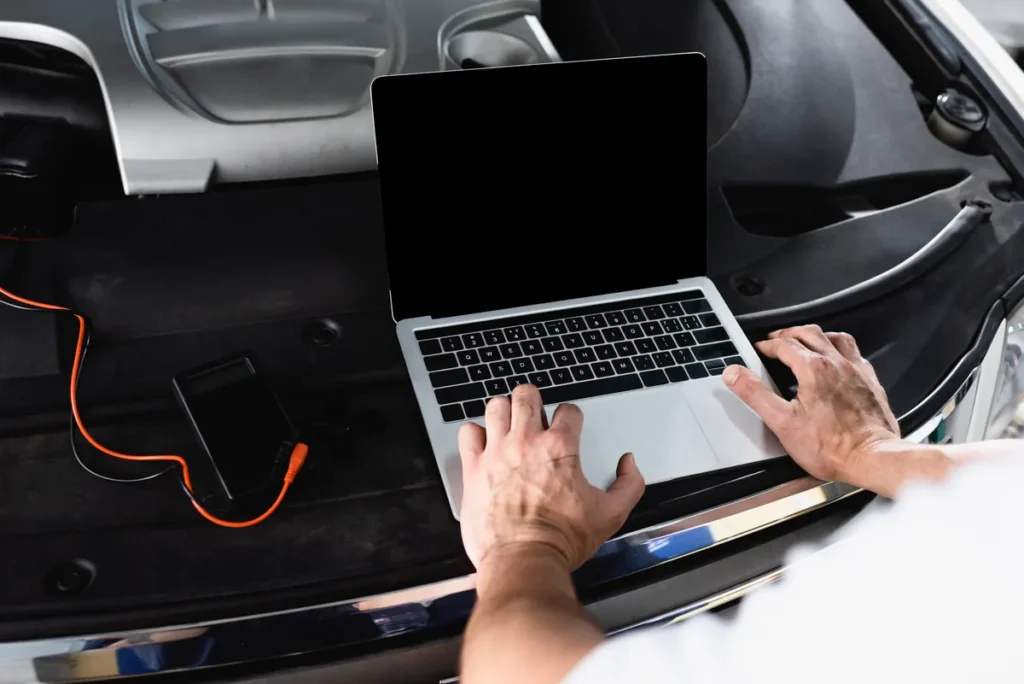
A car will happily stream you ninety or more live values. Watching all of them is worse than watching none, because the useful signal disappears into a wall of numbers that are all doing exactly what they should. The skill in live data is not reading more parameters, it is choosing five or six that answer the question you actually have, and watching how they move together.
The principle: relationships, not values
Almost nothing in live data is diagnostic on its own. Coolant temperature of 89°C is meaningless in isolation and highly informative if you know the car has been at motorway speed for twenty minutes, or that it was 12°C two minutes ago.
Every useful reading is a comparison — against another parameter, against ambient conditions, against what the same value did a moment ago, or against the other cylinder bank. Pick your parameters so those comparisons are possible, and ignore the rest.
The core six for a petrol engine
If you set up one screen and never changed it, this is a good set.
| Parameter | What it is for |
|---|---|
| Short-term fuel trim | What the control unit is correcting right now |
| Long-term fuel trim | What it has learned to correct — the accumulated history of the fault |
| Upstream lambda sensor voltage | Whether the sensor the whole fuelling system depends on is actually working |
| Coolant temperature | Whether the engine is in closed loop, and whether it warms up properly |
| Calculated load | The context for everything else — how hard the engine is working |
| Mass air flow or manifold pressure | The airflow measurement everything downstream is built on |
Six values fit comfortably on a laptop screen, update fast enough to be readable, and between them cover the great majority of running faults.
The two most valuable, briefly
Fuel trims tell you direction and magnitude. Positive means the control unit is adding fuel, so the mixture measured lean; negative means it is taking fuel away. Roughly ±5% is normal, beyond ±15% is a real fault, and most control units set a code somewhere around ±20 to ±25%.
The upstream lambda sensor is the foundation. On a warm petrol engine in closed loop, a healthy one switches briskly between roughly 0.1 V and 0.9 V several times a second. Slow switching, a reduced range, or a signal sitting still means the sensor is no longer trustworthy — and if it is lying, every trim value built on it is worthless. Always sanity-check the sensor before believing the trims.
Fuel system status
Add this one if your tool offers it. It tells you whether the engine is in open loop or closed loop. In open loop the control unit ignores the lambda sensor entirely, so any trim reading from that period should be discarded.
Diesel: a different list
A diesel does not run lambda-based closed-loop fuelling and does not report fuel trims in the same way. Watching for them is a waste of a screen slot. The parameters that matter are:
- Fuel rail pressure, actual against commanded — a gap between the two is the headline diesel fuelling symptom.
- Boost pressure, actual against commanded — the same logic for the turbocharger and its control.
- EGR valve position, commanded against actual — carbon build-up shows up as a valve that will not reach its target.
- DPF differential pressure and soot load, plus regeneration status — the core of most modern diesel complaints.
- Intake air temperature and mass airflow — still relevant, still worth watching.
The pattern is the same on both fuels: the diagnostic content is almost always in the gap between what was commanded and what was achieved.
Choosing parameters for the question you have
Rough running or a misfire
Engine speed, per-cylinder misfire counters if your car reports them, short-term fuel trim, calculated load, coolant temperature. The misfire counters are the prize — they tell you which cylinder rather than making you deduce it.
Poor fuel economy with no warning light
Long-term fuel trim, coolant temperature, intake air temperature, and the lambda sensor. A thermostat stuck open is a very common cause and shows up immediately as a coolant temperature that plateaus below where it should. Long-term trim quietly sitting at +10% is the other frequent culprit.
Emissions test failure
Both fuel trims, both lambda sensors, coolant temperature, and readiness monitor status. The relationship between the upstream and downstream lambda signals is what tells you about the catalytic converter: the upstream should switch rapidly, the downstream should be comparatively flat and lazy. When the downstream starts mirroring the upstream, the converter has stopped buffering oxygen.
Idle problems
Engine speed, calculated load, throttle position, short-term fuel trim, and intake air temperature. An idle that is high with the throttle fully closed means air is entering somewhere it should not.
Overheating or cooling problems
Coolant temperature and cooling fan status. Watching whether the fan actually commands on at the right temperature answers most of these in five minutes.
What is usually noise
Not because these are useless, but because they rarely change your conclusion and they crowd out things that would.
- Battery voltage, unless you are chasing an electrical fault. It sits around 14 V with the engine running and stays there.
- Absolute barometric pressure. It is the weather.
- Distance travelled since codes cleared and similar counters — useful once, then static.
- Commanded values with no corresponding actual value. Knowing what the control unit asked for tells you nothing without knowing what it got.
- Timing advance, for most people. It moves constantly for entirely normal reasons and is easy to misread as a fault.
- Every remaining parameter your tool offers. If you cannot say what a specific reading would make you do differently, leave it off the screen.
How to actually take a reading
Method matters more than tooling here.
Get the engine properly warm. Not off the cold mark — fully up to temperature and in closed loop. Readings taken during warm-up are a different experiment.
Sample three states. Idle in neutral, a steady cruise around 40 to 50 mph, and firmer acceleration. Most patterns only reveal themselves in the difference between the three.
Use the freeze frame as your recipe. If a code was stored at 2,200 rpm and 74% load on a hot engine, that is the condition to reproduce. Trying to catch a fault by driving around aimlessly is a bad use of an afternoon.
Do not drive and read. Either have a passenger watch the screen, or use a recording or logging function and review it afterwards. This is not a purity point — it is that you will miss the moment while looking at the road.
Fewer parameters update faster
The adapter polls the car for each value in turn, so every extra parameter slows the refresh rate for all of them. A screen with six values updates noticeably faster than one with twenty, and for catching a transient fault that speed is the difference between seeing it and not.
Where live data beats a code
Codes only exist once a fault has crossed a threshold the manufacturer set. Live data shows you what is happening below that threshold.
A long-term trim of +12% will not light a lamp. It is still a real developing fault — a small vacuum leak, or a mass air flow sensor drifting — and finding it at that point costs a hose clip instead of a converter. Likewise a lambda sensor that has gone lazy but not dead, or a thermostat opening slightly early, or a fan that comes on later than it should. None of these set codes. All of them cost you money.
Live data and freeze frame come with the Enhanced edition and above, covering over 90 sensors; the Standard edition reads and clears codes without live values. Either way, the habit worth building is checking the core six occasionally when nothing is wrong, so you know what your car’s normal looks like before you need to recognise abnormal.
Learn what your car looks like when it is healthy
Baseline readings taken on a good day are the most useful diagnostic data you will ever collect, and they cost nothing but fifteen minutes.
Read it yourself
Stop guessing at the code
AutoScan reads the fault straight out of your car and tells you what it means in plain English, on your own Windows laptop. The trial reads real codes before you pay anything.
Keep reading
Related guides
How to Read a Car Fault Code, Step by Step
From finding the OBD2 socket to interpreting what you get back, including the freeze frame most people skip and the mistakes that…
What Freeze Frame Data Tells You
The snapshot your car saves when a fault code is stored is often more useful than the code itself. How to read…
Understanding Fuel Trims: The Most Useful Live Data
Short-term and long-term fuel trim tell you whether the engine is running rich or lean and roughly why. How to read them,…