
Which ELM327 Adapter to Buy, and Why Cheap Ones Fail
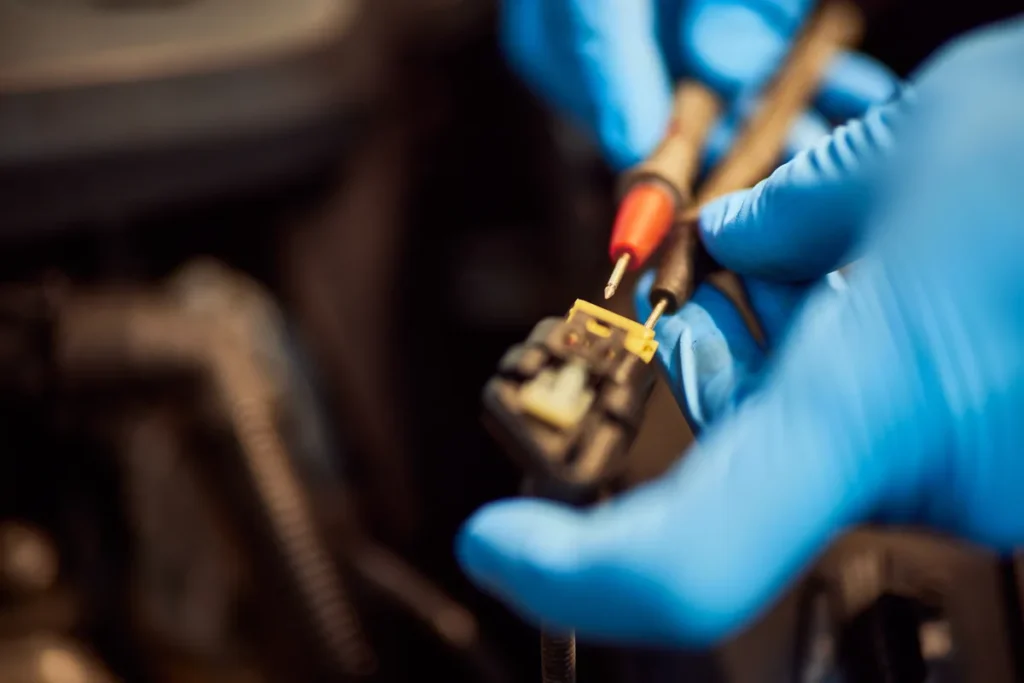
Nearly every “the software will not connect to my car” problem turns out to be the adapter. ELM327 is a chipset design that has been copied so widely that the name now describes a category rather than a product, and the cheapest examples of that category are missing large parts of what they claim to have. Here is what is actually going on inside them and how to buy one that works.
What an ELM327 adapter actually does
Your car’s modules talk to each other over one or more internal networks using several possible protocols. Diagnostic software on a laptop or phone speaks none of them. The adapter sits between the two and translates: it plugs into the OBD2 socket, works out which protocol the car is using, and presents a simple text-command interface over USB, Bluetooth or Wi-Fi that software can use.
The original ELM327 was a microcontroller programmed to do exactly that, and its command set became the de facto standard. Because that command set is public and widely implemented, almost every consumer OBD2 tool on the market expects to talk to something that behaves like an ELM327.
The protocol problem
This is the root of most compatibility failures, and it is worth understanding rather than treating as bad luck.
OBD2 does not specify one physical protocol. It permits several, and manufacturers chose differently over the years:
| Protocol | Typically found on |
|---|---|
| ISO 9141-2 | Older European and Asian vehicles |
| ISO 14230 KWP2000 | Various European and Asian vehicles |
| SAE J1850 PWM | Older Ford |
| SAE J1850 VPW | Older General Motors |
| ISO 15765 CAN | Effectively all vehicles from the mid-2000s onward |
A full-featured adapter handles all of them and can auto-detect which one the car is speaking. A cut-down clone may implement only CAN, or only some of the older protocols, or may implement the auto-detection routine badly so that it gives up before it finds the right one. The car is fine. The software is fine. The translator in the middle does not speak the language.
The symptom is always the same
“No connection”, “vehicle not responding”, or a connection that works for a few seconds and then drops. None of those messages tell you the adapter is at fault, which is why people blame the software.
Why the very cheap ones fail
There is a real reason a £4 adapter and a £25 adapter behave differently, and it is not branding.
Cloned and cut-down firmware
Many cheap adapters run reduced firmware on a cheaper microcontroller while reporting a high version number when the software asks. Version 1.5 and 2.1 are both claimed constantly by devices that implement neither properly. The reported version tells you almost nothing.
Missing protocol support
Supporting every legacy protocol needs extra circuitry. Leaving it out saves money and makes the adapter useless on the cars that need it, which tends to be exactly the older vehicles people are trying to diagnose cheaply.
Marginal power and grounding
Thin traces, poor grounding and no protection circuitry produce adapters that work at idle and fail once the alternator is charging and there is electrical noise on the line. Intermittent drops mid-read are a classic sign.
Parasitic drain
A cheap Bluetooth or Wi-Fi adapter left plugged in permanently may never fully sleep. On a car that is not driven daily, that is a flat battery, and it is a genuinely common outcome. Unplug the adapter when you are not using it.
Wi-Fi adapters and network conflicts
Wi-Fi adapters create their own network, which your laptop must join — losing internet access while connected — and they often use a fixed IP that clashes with something else. They are the most fiddly of the three connection types and rarely worth the trouble on a laptop.
USB, Bluetooth or Wi-Fi?
| Type | Good for | Watch out for |
|---|---|---|
| USB (wired) | Laptop use. No pairing, no dropouts, powered by the car, generally the most reliable | Needs a driver on some Windows machines; the cable runs across the cabin |
| Bluetooth | Phones and tablets, and laptops where you want no cable | Pairing problems, dropouts under load, older Bluetooth versions that Windows handles badly |
| Wi-Fi | iPhones, where Bluetooth OBD2 support is restricted | Network conflicts, loss of internet while connected, the fiddliest to set up |
For a Windows laptop, wired USB is the sensible default. It removes pairing, driver-stack and signal-strength issues from the equation, which matters when you are trying to work out whether a problem is the car or the tool. AutoScan is built around that setup, and there is a matching ELM327 USB cable at £22.50 if you would rather not gamble on a marketplace listing. Bluetooth adapter support and the mobile app come with the Enhanced PLUS edition at £64.99.
What to look for when buying
- An explicit list of supported protocols. A seller who lists all five and states CAN support is telling you something. A listing that says only “ELM327 V2.1” is telling you nothing.
- A wired USB interface for laptop use, unless you specifically need wireless.
- A returns policy you would actually use. This is the practical protection against clone roulette. Buy from somewhere that will take it back.
- A sensible price. Somewhere in the £15 to £30 range for a wired adapter is normal. Below about £8, assume corners have been cut somewhere.
- Confirmation it works with your software. Some vendors sell adapters they have actually tested against their own application, which removes the biggest variable.
Things that are not evidence of anything: the claimed firmware version, the words “genuine chip” in a listing title, the presence of a brand name you have not heard of, and the number of five-star reviews on a listing that has been relabelled several times.
If it will not connect, work through this in order
- Ignition on. Most adapters need the ignition in position two, and many cars will not respond with the key out. Engine running is fine too.
- Check the socket has power. The adapter’s light should come on when plugged in. If it does not, check the fuse for the OBD2 socket — it is a surprisingly common failure and it also disables the cigarette lighter on some cars.
- Confirm the COM port. On Windows, a USB adapter appears as a serial port in Device Manager. If it is not there, the driver has not installed. If it is there under a different number than the software expects, point the software at the right one.
- Try a lower baud rate. Some clones cannot sustain the highest speeds reliably.
- Try the adapter on another car. This is the test that settles it. If it works on a different vehicle, the adapter is broadly functional and you have a protocol or vehicle-specific issue. If it fails on both, replace it.
Where is the socket?
The OBD2 connector is required to be within reach of the driver’s seat. It is usually under the dashboard on the driver’s side, sometimes behind a small removable panel, occasionally in the centre console, the glovebox or under an ashtray. It is a trapezoidal 16-pin connector and there is only one of them.
A note on which cars have one at all
No adapter helps if the car predates the standard. In practice: European petrol vehicles from 2001, European diesel from 2004, and non-European vehicles from 1996. Some cars built slightly earlier have a connector fitted but do not implement the full standard, which produces the frustrating case of an adapter that powers up and then finds nothing to talk to.
The short version
Buy a wired USB adapter from a seller with a returns policy, at a price that is not suspiciously low, and unplug wireless adapters when the car is parked. That removes the overwhelming majority of the problems people attribute to their diagnostic software, and it costs less than one diagnostic charge at a garage. If you have not used diagnostic software before, the 13 short video tutorials walk through the connection process from plugging the adapter in onwards.
Start with a cable that is known to work
An adapter tested against the software it is being used with takes the single biggest variable out of the setup. The AutoScan ELM327 USB cable is £22.50.
Read it yourself
Stop guessing at the code
AutoScan reads the fault straight out of your car and tells you what it means in plain English, on your own Windows laptop. The trial reads real codes before you pay anything.
Keep reading
Related guides
P0455 Large EVAP Leak: Start With the Fuel Cap
A large evaporative leak is the one EVAP fault you can often find yourself in five minutes, and the fuel cap is…
P0301 Cylinder 1 Misfire: Find the Cause Before Buying Parts
How to use the coil and injector swap test to prove which part is faulty on cylinder one, so you replace the…
MOT Emissions Failure: Find the Cause Before the Retest
An emissions fail tells you the numbers were wrong but not why. Here is how to read the failure sheet, work out…